
This is a small tutorial.
You can add an LED strip to the DIY version. WS2812B LEDs are recommended — a standard LED strip works perfectly.
First of all, update the firmare to the last version.
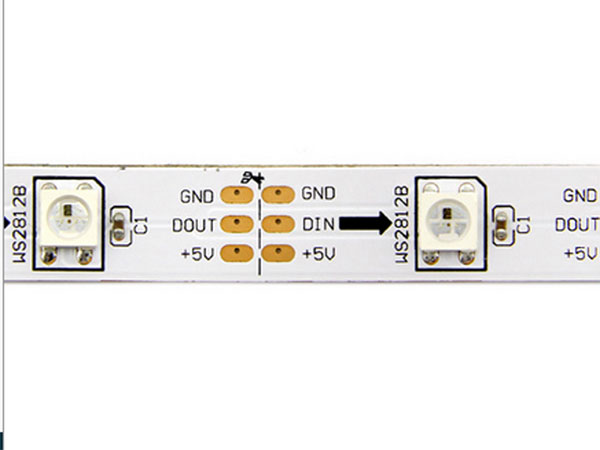
Foxlap expects 5 LEDs. Power them with +5V, and the control pin is GPIO12 on the ESP32.
(Note: GPIO12 does not cause any issue for the ESP32 as long as it is not driven HIGH during boot wich is not the case).
There are 6 LED display modes yet:
1 – Disable
No LEDs are used.
2 – RPM Level Meter
This mode displays the RPM level. The maximum value is defined in the settings.
3 – Sectors
The LEDs show red or green depending on whether you achieved a better sector or not. 1 LED per sector.
4 – Live Delta
Red or green depending on whether you are ahead or behind.
5 – Threshold Alert
Two blue LEDs light up when the target temperature is reached — this usually means you should open the radiator shutter.
The LEDs turn red once the alert temperature is reached.
6 – Oleksandr Threshold Alert
This is another temperature warning mode, designed by a user (Oleksandr, hence the name).
Here is how it works:
- Starting from the notification temperature, one blue LED lights up.
- For each additional degree, another blue LED lights up (up to notification temperature +5°C).
This indicates that you are within the optimal engine operating range. - Beyond notification temperature +5°C, the LEDs turn orange and gradually shift color with increasing temperature until they become red at the alert temperature.
- Once the alert temperature is exceeded, all LEDs flash red.
let me know…